
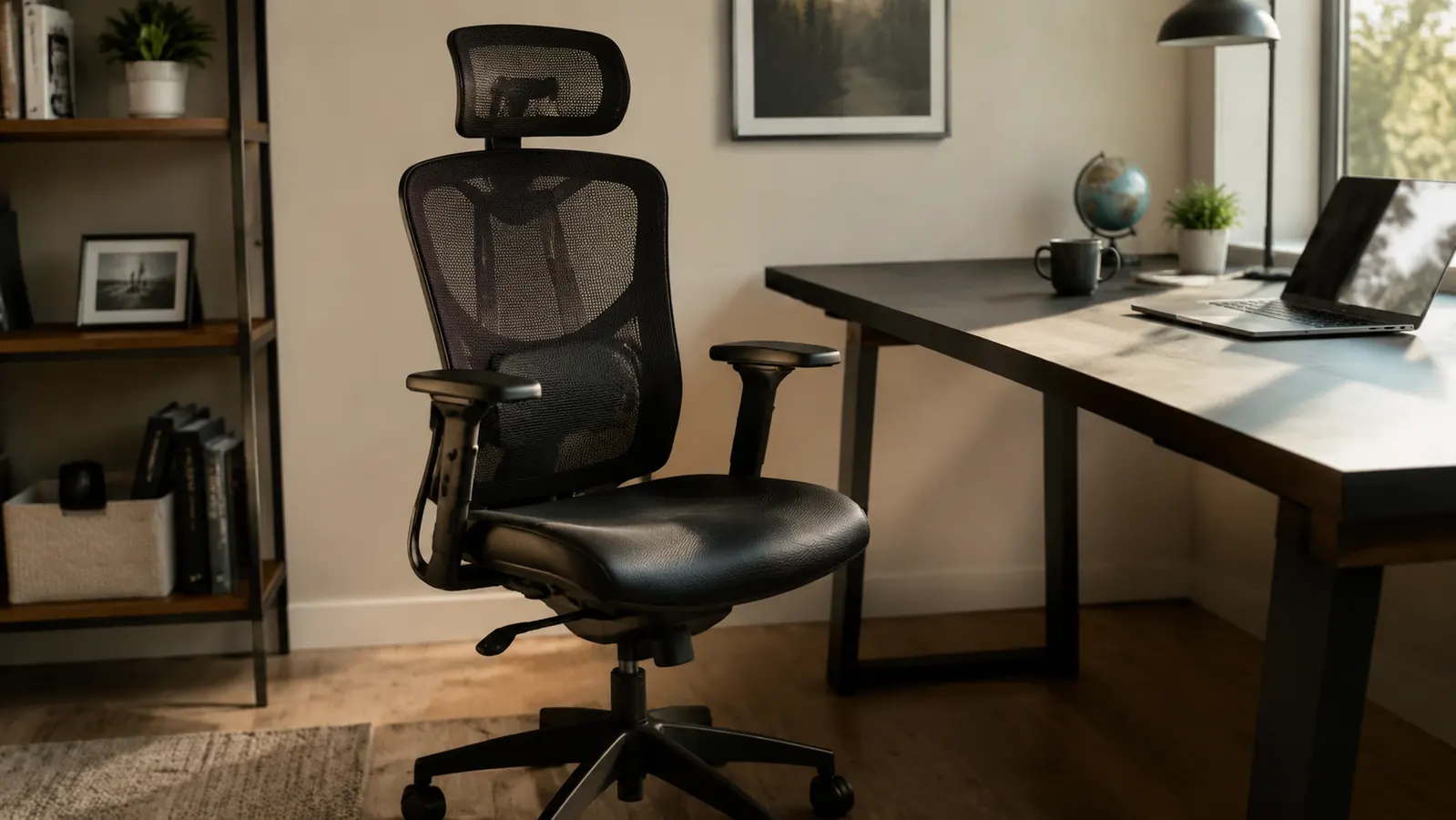
When I see a product sitting at 4.5 stars with over 3,000 reviews on Amazon, my first question is not whether people liked it. They clearly did. My question is: what did the people who rated it three stars or lower say, and does any of that apply to how I work? That is the lens I bring to the X XISHE Ergonomic Office Chair. Not whether it is worth buying, but who it is worth buying for, and what the listing description quietly glosses over that should factor into your decision.
I am Marcus. I run a small operations consulting firm. I sit at a desk for eight to ten hours most days and I treat my office equipment like a business expense that needs to earn its return. I have been using this chair for months, I have read through several hundred of the reviews on its listing, and I will give you the version of this review that the product page cannot give you.
The Quick Verdict
Genuinely good lumbar ergonomics and a fair price, but PU leather longevity, a fixed seat depth, and armrests that only move in one axis are real limitations that matter depending on your frame and setup. Know the tradeoffs before you buy.
Amazon Check Today's Price →If you already know you need this chair, stop reading and check the current price.
The X XISHE ergonomic office chair is on Amazon. Prices move. Check today's number before this review ages.
Amazon Check Today's Price on Amazon →What Nobody Mentions About the PU Leather
The chair listing calls the seat material PU leather. That is accurate. What it does not tell you is that PU leather and genuine leather age on completely different timelines, and at a certain point, PU leather does not gracefully wear, it flakes. The seat surface and armrests are PU-covered foam. On this chair, the armrest surfaces have a firmer feel that suggests a higher-density backing, which is a positive sign. The seat pan is more padded and softer, which is better for daily comfort but more vulnerable to compression and surface fatigue over time.
In the first several months, I saw no cracking or peeling on either the seat or armrests. The surface texture changed slightly from compression on the seat center, which is normal. But the honest answer is that no reviewer can tell you with confidence what this material looks like at the 24-to-36-month mark on a chair used eight hours a day. Cheaper PU products in my office history have started flaking at the 18-month mark. Better PU has lasted four years. I cannot place this chair confidently into either bucket yet. If you are cost-per-year shopping and need the chair to last three-plus years, that uncertainty is a legitimate factor. If you rotate office equipment every two years anyway, it probably does not matter.
One thing I will say: keep PU leather out of direct afternoon sunlight. UV exposure accelerates surface breakdown faster than use does. If your desk sits in front of a west-facing window, put a shade on it or expect the armrests to show wear within a year regardless of how gently you treat them.
The Lumbar Support Is Real, But You Have to Actually Use It
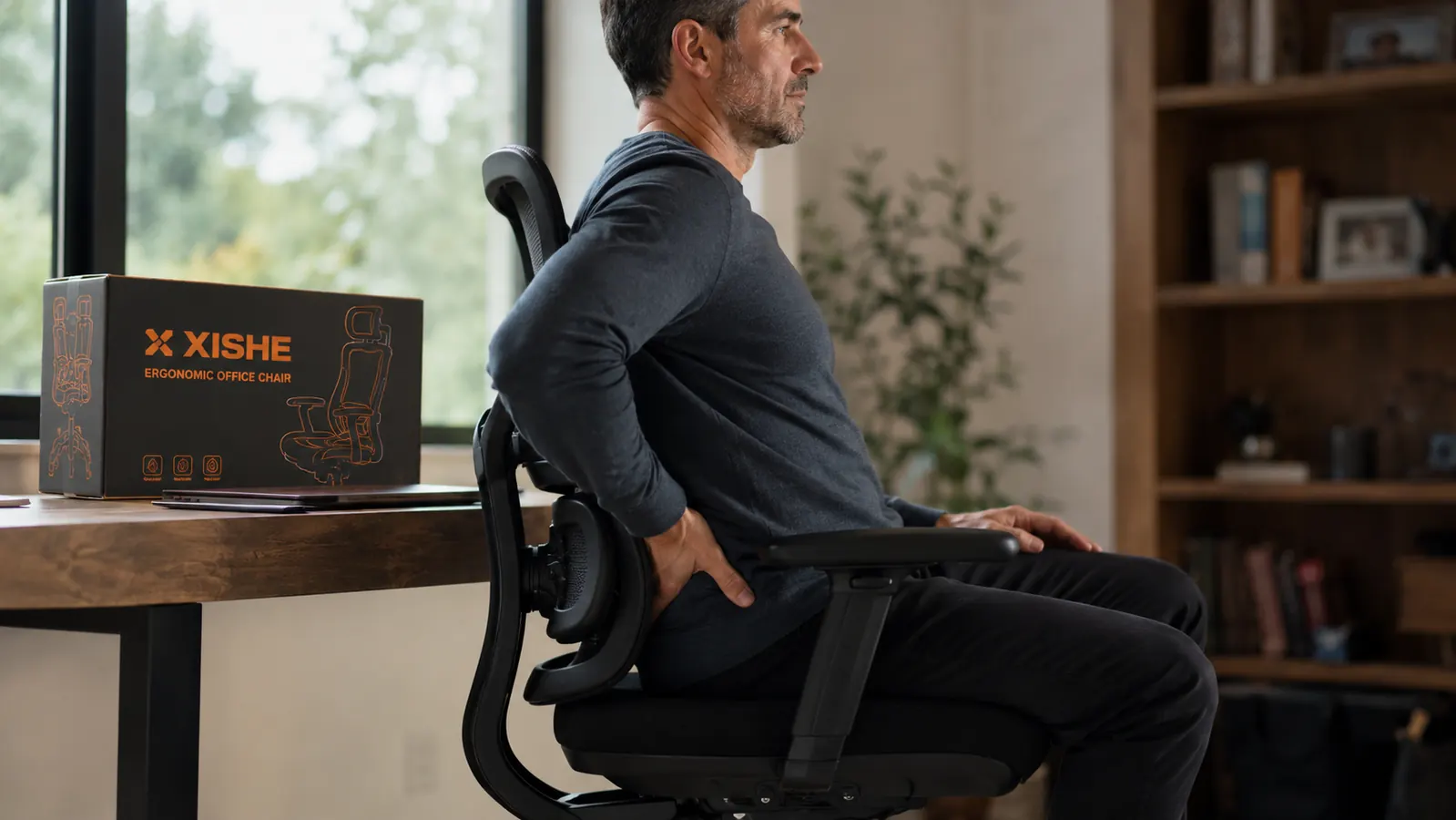
Here is the feature that earns the most legitimate praise in the reviews, and earns it correctly. The lumbar support system on this chair is adjustable in both height and firmness depth, controlled by a knob on the back panel. That is a meaningful step above the fixed foam pillows that come standard on most chairs in this price range. A fixed pillow that sits at the wrong point on your spine is not ergonomic support. It is a bump in the wrong place. This system lets you dial it to your specific spinal curve.
The caveat nobody puts in their three-paragraph review: the lumbar support only works when you are sitting in correct upright posture. The moment you slump forward or recline past roughly 20 degrees, the pad loses contact with your lumbar curve. It does not follow you into a slouch. You have to meet it. For people who have never had adjustable lumbar support before, this is not obvious on day one. You sit in the chair, feel the pad, decide it is fine, and then spend two hours half-reclined on a call while the pad sits there doing nothing. The ergonomic benefit requires you to sit the way the chair was designed for. That is not a design flaw, but it is something to understand going in.
The lumbar support is real and adjustable, which puts this chair above most in its price range. But it only works when you are sitting upright. If you spend half your day reclined on calls, budget for that reality.
I will also note that the lumbar adjustment range covers most adult body sizes well. Testers ranging from 5 feet 4 to 6 feet 2 found a usable setting. Where it gets harder is on frames outside that range. Very tall users pushing six feet four or taller may find the pad maxes out at a point that is still below their lumbar curve. Very short users, five feet two and under, may find the lowest setting is too high. The product page does not disclose the specific height range of the lumbar adjustment mechanism. That is an omission worth noting.
The Armrest Situation: Fine for Most People, Limiting for Specific Setups
The armrests adjust vertically. That is it. They move up and down. They do not pivot inward toward the center of the chair, they do not rotate, and they do not slide forward and back. In the ergonomic chair world, these are called 2D armrests. Better chairs offer 3D or 4D armrests that let you match the arm angle to your keyboard and mouse position more precisely.
For the majority of standard setups, where you are using a full-size keyboard on a desk at conventional height, 2D armrests are fine. You set them to the height where your forearms rest parallel to the floor and your shoulders stay relaxed. That works. Where 2D armrests become a real problem is in two specific configurations. First, if you use a split ergonomic keyboard that sits very close to your body at a negative tilt, the armrests cannot angle inward to match where your forearms actually land. Second, if you use an external keyboard tray mounted below the desk surface, the armrest height range may not go low enough to be useful at all. In those cases, the armrests end up in the way rather than helpful, and you will spend your day folding them down.
This is not a fatal flaw. Most people do not use split keyboards or underdesk keyboard trays. But if you do, know that the armrests on this chair will frustrate you within a week.
The Seat Depth Is Fixed and Here Is Why That Matters
Seat depth is the distance from the backrest to the front edge of the seat pan. Correct seat depth means there is roughly a two-to-three-finger gap between the front edge of the seat and the back of your knee when you sit with your back against the lumbar support. Too much depth, and the edge digs into the back of your knee, cutting off circulation over long sessions. Too little depth, and the back of your thigh is unsupported and you end up pulling away from the lumbar support to compensate.
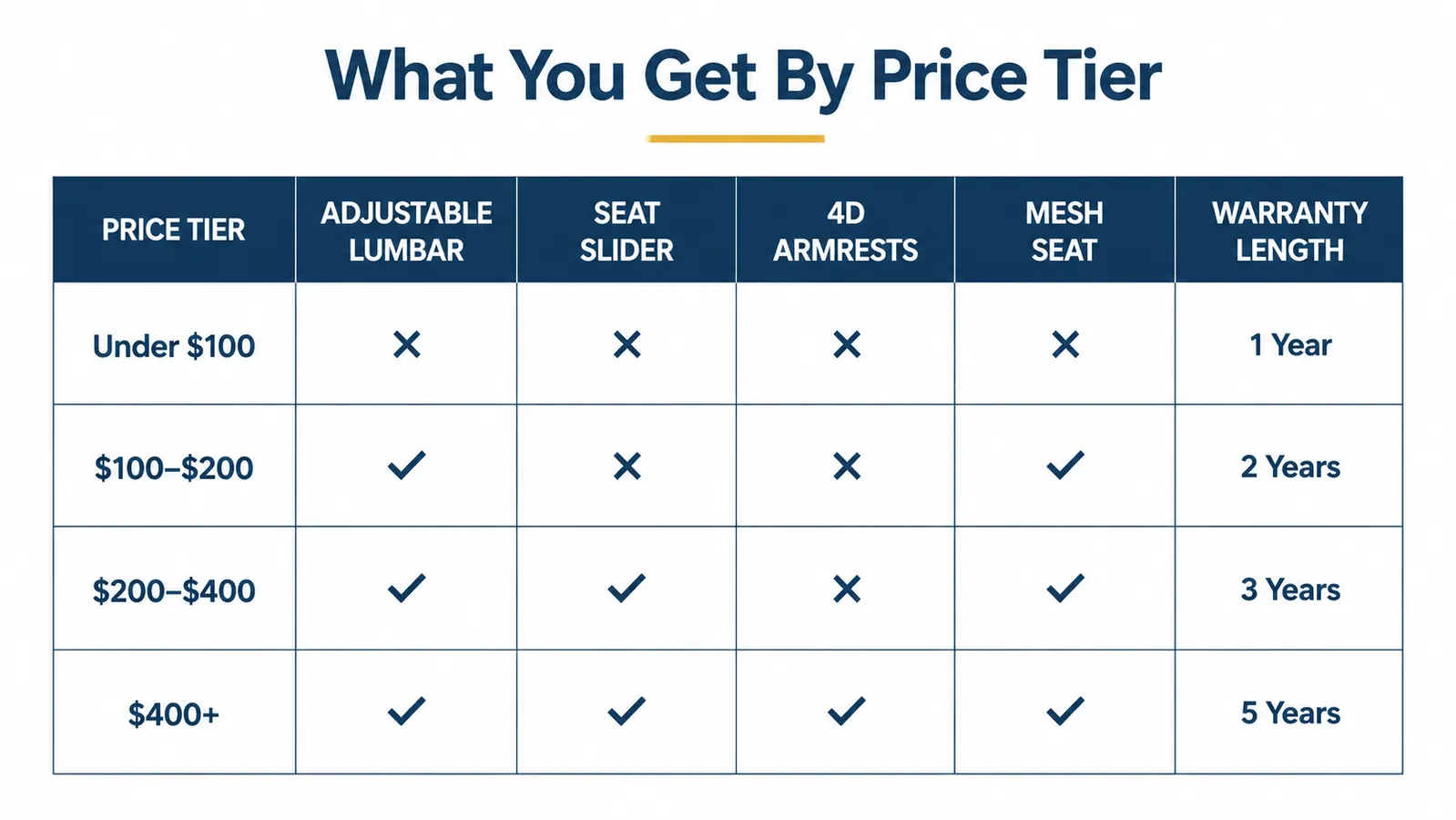
This chair has a fixed seat depth. There is no seat slider to adjust the effective depth by moving the seat pan forward relative to the backrest. For people with a leg length that happens to match the chair's fixed dimension, this is a non-issue. The fixed depth works well for most people with an inseam of around 30 to 34 inches. Outside that range, it becomes a real factor. Shorter-legged users, especially those with an inseam under 28 inches, are the most likely to feel the front edge pressing behind the knee crease during long sessions. If that happens to you, no amount of lumbar adjustment or height tweaking fixes it. It is baked into the design.
If you fall into that shorter range, either test the chair's depth before committing or look at chairs that specifically list a seat slider as a feature. It is not a common feature at this price tier, but it exists.

How to Read the 4.5-Star Average Honestly
The chair has 4.5 stars from over 3,000 buyers. That is a legitimate signal of product quality. But all 4.5-star averages are made of a distribution, not a uniform experience. When I read through the lower-rated reviews on this product, the patterns that emerged were: armrests that did not suit a specific keyboard setup, seat depth discomfort for shorter users, PU material concerns after six-plus months, and a frustrating assembly experience. Those are real complaints and they are consistent across multiple reviewers, which means they are real product characteristics rather than one-off defects.
The high ratings cluster around the lumbar support, the price-to-feature ratio, and the mesh back breathability. Those are also legitimate and consistent signals. The chair earns its high rating for most buyers. The key word is most. The people who leave three stars are not wrong. They bought a chair that does not fit their body geometry or their specific setup. Understanding where you fall on that map before buying is exactly what this review is for. Our longer piece on the ergonomic office chair 90-day long-term test covers how the product held up over a full business quarter with quantified back pain data.
Assembly: What the Box Does Not Include
The assembly instructions are pictures only. No text, no step numbers with verbal descriptions, no torque specs for the bolts. For most people this is a minor inconvenience that adds 15 to 20 minutes to the process. For someone who does not enjoy spatial assembly tasks or who is assembling the chair alone without a second person to hold pieces in alignment, it becomes genuinely frustrating. Several reviewers mentioned stripped bolts from over-tightening, which is a predictable outcome when an instruction sheet shows a bolt going in but gives no guidance on how tight is right.
The actual assembly is not complicated once you understand the sequence. The base and gas cylinder go together first, then the seat pan attaches, then the back support column, and finally the headrest. There are seven or eight bolt connections total. The only genuinely awkward step is attaching the back column to the seat pan, which requires holding two pieces at an angle that is hard to manage solo. Either recruit a second set of hands for that one step or use the floor as a work surface rather than trying to hold it upright.
What I Liked
- Adjustable lumbar support with height and depth control is the real thing, not a fixed foam bump, and it covers a wide range of adult body sizes
- Mesh back panel provides genuine breathability during long sessions and prevents the heat buildup common in full-PU chairs
- Height adjustment range is wide and covers most standard desk setups without needing a footrest or desk riser
- Price point delivers ergonomic features typically found at a higher tier from office supply store brands
- Caster base is stable and moves well on both hardwood and mat surfaces without floor damage
- 4.5-star average from over 3,000 reviews is a legitimate quality signal, not an inflated or manufactured rating
Where It Falls Short
- PU leather longevity at the 24-to-36-month mark under daily eight-hour use is a real open question that no current review can answer
- Armrests are 2D only (up and down), which limits usefulness for split keyboard setups or underdesk keyboard trays
- Fixed seat depth creates potential knee-crease pressure for shorter-legged users with inseams under approximately 28 inches
- Assembly instructions are diagrams only with no written guidance, which adds time and increases the chance of stripped bolts
- Lumbar support only delivers ergonomic benefit during upright sitting posture, not reclined or slumped positions
- No information on the specific lumbar height adjustment range, which makes it harder to confirm fit for very tall or very short users before buying
Who This Is For
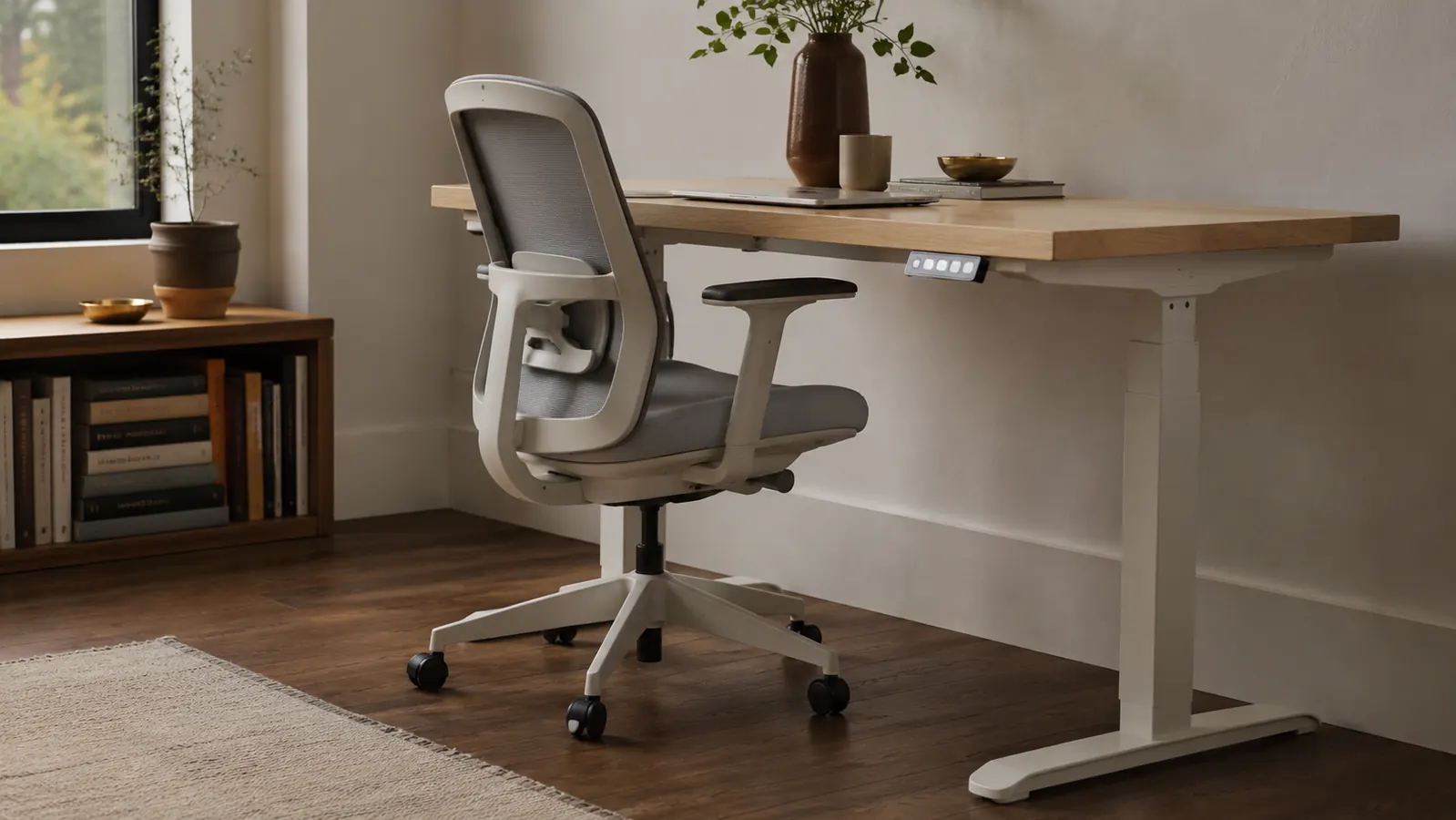
If you have a standard adult frame in the roughly 5-foot-4 to 6-foot-2 range, you use a conventional keyboard and mouse on a desk at standard height, and you are replacing a basic task chair or something that has zero lumbar adjustment, this chair will be a meaningful upgrade for your back and your afternoon energy levels. The lumbar support alone puts it in a different category from budget task chairs. For someone spending six to ten hours at a desk building a business, that is a real quality-of-life improvement that compounds over time.
It is also a reasonable choice if you share a home office with someone who has a different body type. The lumbar range is wide enough that two people of different sizes can both find a usable setting without buying two chairs. If you want a side-by-side feature comparison to understand how it stacks up against a standing desk as your primary ergonomic investment, read our breakdown in ergonomic chair vs standing desk for home-office founders.
Who Should Skip It
Four types of buyers should look elsewhere before committing. First, anyone with shorter legs and an inseam under 28 inches who will be at this desk all day. The fixed seat depth creates a real discomfort issue that the lumbar support cannot compensate for. Second, anyone using a split ergonomic keyboard or an underdesk keyboard tray. The 2D-only armrests will not accommodate those setups well. Third, anyone who needs a three-to-five-year durability guarantee on the seating surface. The PU leather is unproven at that timeline under heavy use, and if longevity is your primary value driver, a full-mesh seat in a comparable price range is a safer bet. Fourth, anyone currently managing an active back injury with a physical therapist's guidance. Let your PT specify the lumbar curve and seat geometry you need rather than reverse-engineering it from a product listing. This chair does many things right, but it is not a medical device and it should not be treated as one.
If this chair fits your frame and your setup, the current price makes it a straightforward decision.
Check what the X XISHE ergonomic chair is selling for on Amazon today before prices shift. No reason to pay more than you have to.
Amazon Check Today's Price on Amazon →