
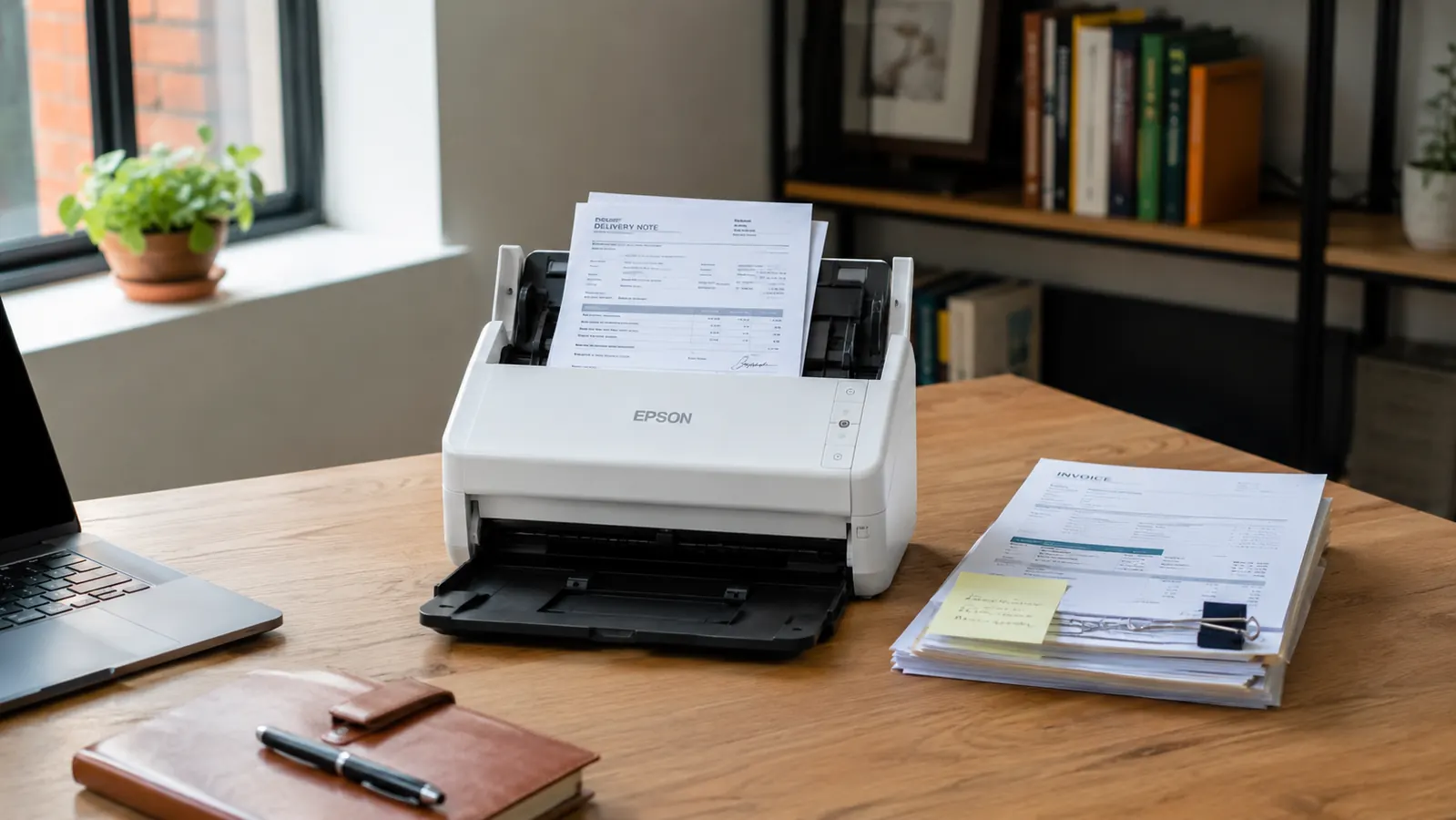
January of this year I pulled a cardboard box out of my storage room and counted the paper inside it. Four hundred and twelve loose documents: vendor contracts, client invoices, equipment receipts, and a handful of LLC filings I hoped I would never need but knew I might. My accountant had been telling me for two years to get that pile under control. My previous flatbed scanner, a Canon from 2019, sat on a shelf gathering dust because it took three minutes to scan a single page and required software that crashed on Windows 11. The Brother DS-740D was the fix I landed on after about an hour of research, and it has been running on my desk, or in my laptop bag when I travel, every week since.
I run a service business with three full-time employees and about a dozen active vendor relationships at any given time. Paper volume is not enormous, but it is steady. The DS-740D has processed somewhere north of 1,400 pages since I unboxed it in January. That sample size is large enough to give you a real picture of what this scanner does well, where it has friction, and whether the price makes sense for a business like yours.
The Quick Verdict
The DS-740D earns its spot on any serious operator's desk: genuinely fast duplex scanning, a footprint small enough for a laptop bag, and rock-solid driver behavior on both Windows and Mac. The single-sheet feed is its ceiling, and the software bundle is just okay. But for scanning contracts, receipts, and records in a small business, nothing in its price range touches it.
Amazon Check Today's Price →Still feeding paper into a flatbed or paying for a copier lease? The DS-740D pays for itself inside a month.
Compact enough to travel, fast enough to clear a document backlog in an afternoon, and duplex in one pass. Check today's price on Amazon before your next vendor meeting.
Amazon Check Today's Price on Amazon →How I Have Used It Over Six Months
My workflow is straightforward. Any document that comes into my business, whether printed or hand-signed, gets scanned within 24 hours and filed in a Google Drive folder structure I set up when I bought the scanner. The DS-740D connects via USB, which is the only option. There is no Wi-Fi and no Bluetooth, a point worth stating plainly before you buy. You plug it into a laptop or desktop, install the driver, and it shows up as a scanner in any compatible application.
Setup took about twelve minutes the first time, including driver installation on a Windows 11 machine and a quick calibration scan. I later set it up on a MacBook Air running macOS Sonoma and it took less than eight minutes. Brother has done something right with their driver experience: it just works without hunting through Device Manager or forum threads. That alone puts it ahead of three other scanners I tested before keeping this one.
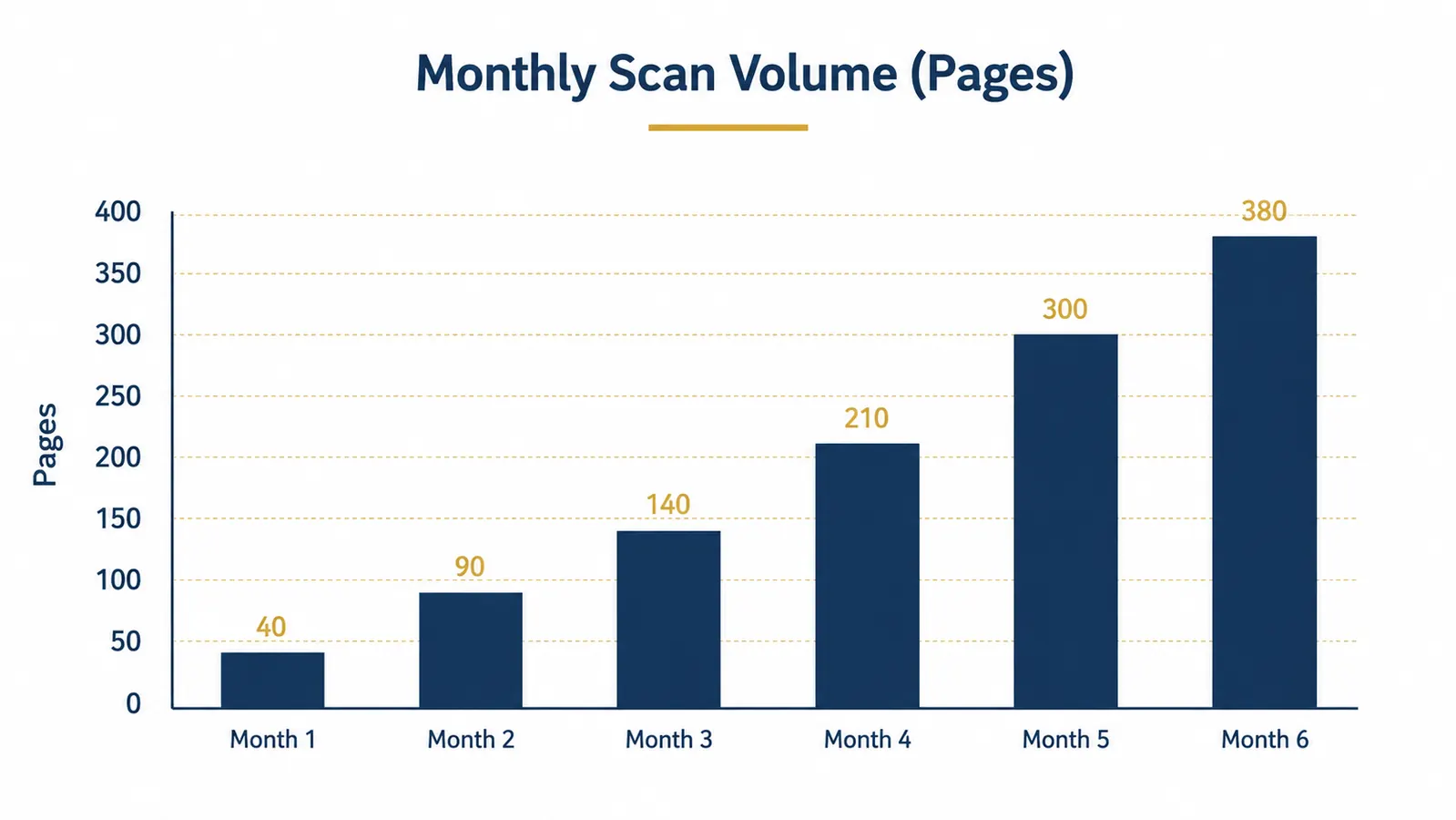
For the first two months I was mostly clearing backlog: old contracts, archived invoices, tax documents from prior years. By month three I had shifted into maintenance mode, scanning new documents as they arrived. The bar chart below shows how my monthly scan volume evolved as I built the habit.
Duplex Speed: The Feature That Actually Matters
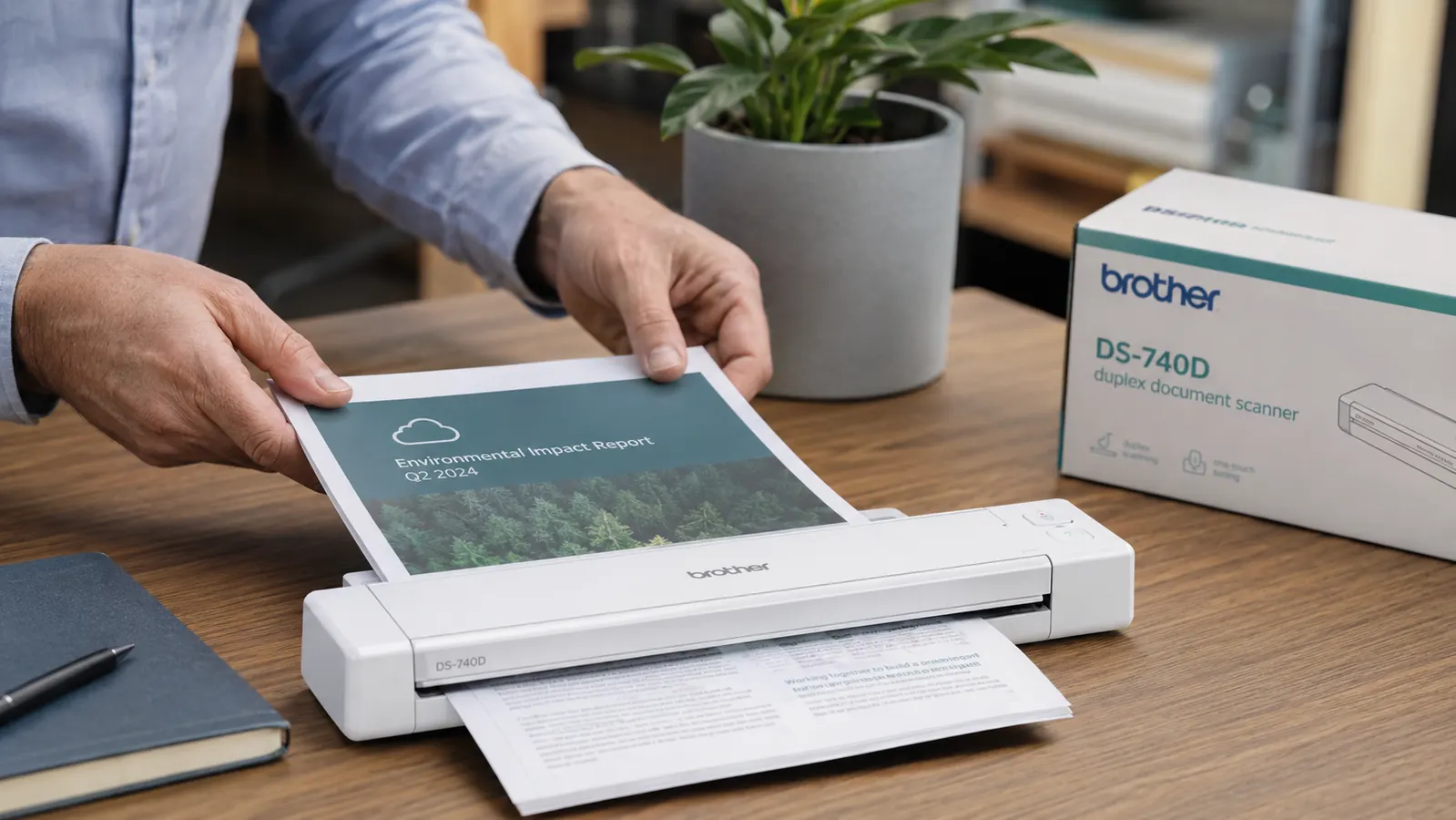
The spec sheet says 16 pages per minute in duplex mode, which means the scanner captures both sides of a page in a single pass. That number is real. I timed it with a 20-page contract, two-sided, and it completed in 2 minutes and 28 seconds including the time to feed the last sheet. If you have been using a flatbed scanner and flipping each page manually, this feels like a different category of tool entirely.
Duplex scanning matters for business documents because most contracts are two-sided. A flatbed scanner doubles your scan time on those, and it demands your full attention. The DS-740D lets you feed the stack and walk away. I commonly feed 15 to 20 pages, go pour coffee, and come back to find the job finished and the PDF sitting in my destination folder. That change in workflow is not trivial when you are running a business and time is what you have least of.
Scan quality at 300 dpi, the default, is clean enough for every business document I have thrown at it: typed text, printed forms, handwritten signatures, and thermal receipts. I tested 600 dpi for archival contracts and the quality improvement was marginal for text documents. I would not waste the extra file size on routine invoices.
Physical Size and Portability: Where This Scanner Has a Real Advantage
The DS-740D is genuinely compact. It weighs 1.6 pounds and measures about 11 inches long. I keep a small padded sleeve in my laptop bag and it travels with me to client meetings without adding noticeable weight. At a quarterly review session with a client in April, we signed three contract amendments on the spot and I scanned all six pages before leaving the conference room. That is not something you can do with an office-class scanner.
The portability does come with a constraint worth naming. The DS-740D is USB-powered, which means it draws its power from your laptop. On a fully charged MacBook Air I did not notice battery impact during a normal scan session of 20 to 30 pages. On older laptops with degraded batteries, heavy scan jobs could be a factor. Brother also sells a separate AC adapter if you want to plug into the wall, which I recommend for desktop use where you will be scanning continuously.
I fed a 20-page two-sided contract into this scanner, walked to the kitchen, poured coffee, and came back to a finished PDF. That workflow change is worth more than the sticker price.
Software and Driver Behavior Over Time
Brother bundles iPrint and Scan software with the DS-740D. It handles basic scan-to-PDF, scan-to-JPEG, and scan-to-email functions. The interface is functional but dated. I used it for the first three weeks, then switched to scanning directly through Adobe Acrobat and later through a third-party app called VueScan when I wanted more control over output settings. The scanner behaves perfectly well with all three, which tells you the driver is solid even if the bundled software is not winning any design awards.
In six months I have had zero driver crashes on Windows 11 and two minor hiccups on the Mac, both resolved by unplugging and replugging the USB cable. I have never had to reinstall the driver. For a business tool I depend on daily, driver stability is a non-negotiable, and the DS-740D has delivered.
One limitation worth noting: the DS-740D does not have an automatic document feeder in the traditional sense. It feeds one sheet at a time through the slot. You can load multiple pages in sequence by hand, and the scanner feeds them continuously, but it does not hold a stack and auto-advance the way a heavy office scanner does. For documents up to about 20 pages this is not an issue. For processing a 60-page quarterly report, it is slower than a desktop ADF unit.
Receipts, Thermal Paper, and Edge Cases
I run the expense accounting for my business, which means a steady flow of thermal receipts. The DS-740D handles them well with one caveat: very small receipts, the kind that are two inches wide and six inches long, need to be taped to a carrier sheet first or they will skew slightly during the feed. Brother includes a carrier sheet in the box for exactly this purpose. Once I got into the habit of using it for small items, I stopped having any misfeeds.
Business cards, ID cards, and laminated documents require the carrier sheet as well. Thick cardstock sometimes feeds slowly and needs a second pass. Standard 20-pound printer paper, which covers 90 percent of what I scan, feeds cleanly every single time. The scanner handles legal-size documents without configuration changes, which matters if you deal with government forms or court documents.
What I Liked
- Genuine duplex scanning at 16 ppm captures both sides in one pass, cutting scan time in half versus flatbed
- Compact and lightweight enough to travel in a laptop bag without a second thought
- Driver stability on both Windows 11 and macOS Sonoma has been flawless over six months
- USB-powered means no separate power brick needed for mobile use
- Legal-size document support without any configuration adjustment
- Included carrier sheet handles thermal receipts, business cards, and odd-size documents cleanly
Where It Falls Short
- USB-only connectivity: no Wi-Fi and no Bluetooth, so you must be at your computer to scan
- Bundled iPrint and Scan software is functional but dated; most users will prefer a third-party app
- Not designed for bulk batch scanning above 20 to 30 pages at a time without hand-feeding
- Very small receipts misfeed without the carrier sheet, requiring an extra step
- AC adapter for desktop use is sold separately, not included in the box
Who This Is For
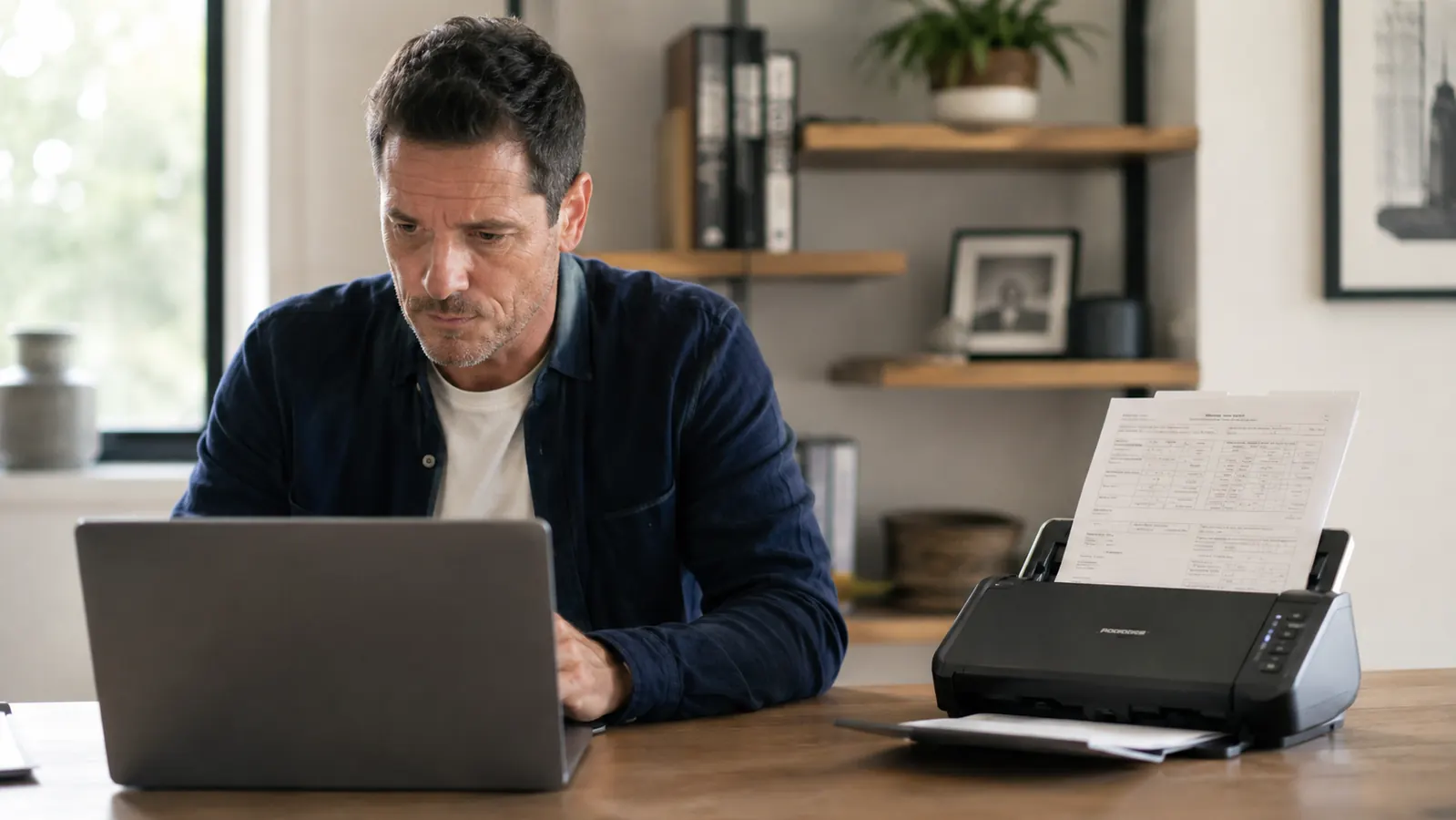
The DS-740D is built for the operator who generates a moderate, steady stream of paper and needs to digitize it reliably without maintaining a copier-sized machine or a lease payment. If you sign contracts with clients, collect vendor invoices, keep paper receipts for tax purposes, or manage any kind of paper records in a small business, this scanner solves exactly that problem. Consultants, freelancers, small retail owners, real estate agents, and anyone who travels with a laptop and occasionally needs to scan in the field will find this the best tool in its price range.
It also works well for anyone building a paperless archive from scratch. If you have a box of historical documents the way I did, the DS-740D will clear it faster than you expect. My original 412-document backlog took me three afternoons spread across two weeks. Once the backlog was gone, maintenance scanning takes me about five minutes per day.
Who Should Skip It
If you regularly process documents of 40 pages or more in a single batch, you will outgrow the DS-740D's single-slot feed quickly. A desktop ADF scanner in the mid-range, like the Epson WorkForce ES-400 I compared it against, is a better fit for high-volume jobs. If you need wireless scanning to a shared network drive without plugging into a laptop, this scanner will not serve you. And if you manage a team of five or more people all submitting documents for scanning, a networked multifunction printer or a cloud-connected scanner will serve the workflow better.
For a solo operator or a tight team where one person handles document digitization, these limitations rarely surface. The USB requirement has never been a genuine friction point for me. My laptop is open every time I am scanning, so plugging in takes three seconds.
If you want to see how the DS-740D stacks up against the Epson WorkForce head to head, I broke down that full comparison in Brother DS-740D vs Epson WorkForce ES-400. And if you are still deciding whether a document scanner belongs in your business at all, the piece on 10 reasons a document scanner transforms a small business in under a week covers the case from scratch.
If a box of paper sitting in your office is the answer to 'where did that contract go,' the DS-740D fixes that permanently.
At the current price it costs less than one hour of attorney time to locate a misfiled document. Check today's price on Amazon and see if it fits your budget.
Amazon Check Today's Price on Amazon →