

The first time I told myself I was going paperless, I bought a flatbed scanner that took up a third of my desk. It sat there for six months. I used it maybe four times. The friction was too high. Lift the lid, position the page, close it, wait. For a one-page contract that took three seconds to sign, I was spending two minutes scanning. So the paper piles kept growing.
The second scanner was a dedicated sheet-fed model I ordered off a recommendation from a tech blog. It was fast on single-sided documents. But two-thirds of what I actually need to scan are double-sided: contracts with terms on the back, vendor invoices, bank statements. That scanner required me to flip every page manually and run it through again. It did not last three months before I shoved it in a drawer.
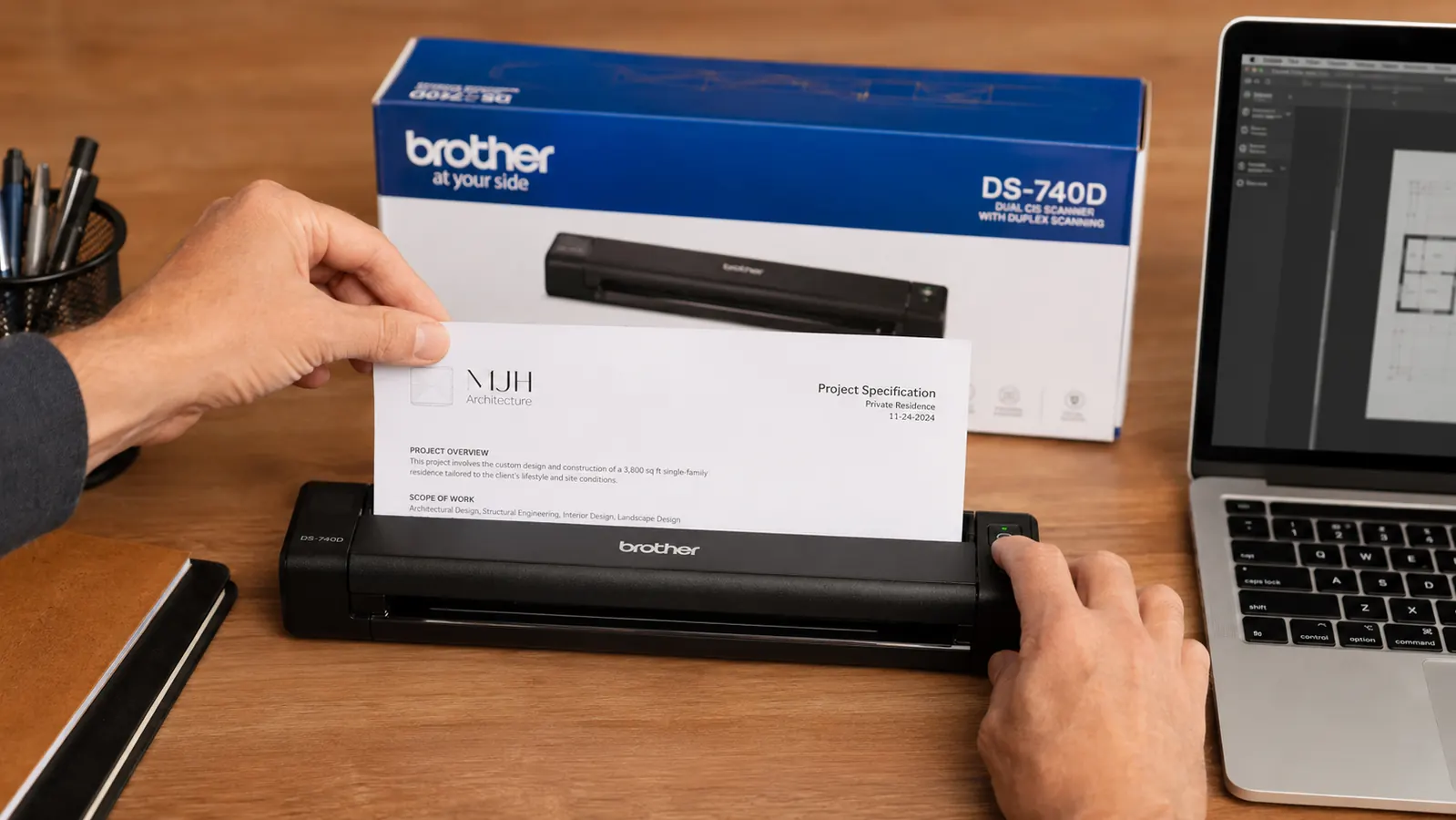
By the time I tried the Brother DS-740D, I was skeptical. My business was generating a real volume of paper. Client agreements, lease documents, receipts from supply runs, tax records. I had a banker's box filling up faster than I was dealing with it. A colleague who runs a three-location service business mentioned the DS-740D offhand, said it lived on the corner of his desk and he never thought about it. That is exactly what I was looking for. A tool that disappears.
Setup took about ten minutes. The driver installed cleanly on my Windows 11 machine. The scanner itself is about the size of a large stapler, sits between my monitor and the edge of my desk, and connects over USB. I fed in a two-page contract, double-sided, just to start. It came out the other side in roughly eight seconds, both pages captured, correctly oriented, named with a timestamp. I sat there for a second just staring at the screen.
My colleague said it lived on the corner of his desk and he never thought about it. That is exactly what I was looking for. A tool that disappears.
The duplex pass-through is what makes this thing practical. You feed the document in, it scans the front on the way through, flips it internally, scans the back, and delivers a clean two-sided PDF. No second run. For anyone who has been manually flipping pages on a lesser scanner, this alone is worth the price. My actual scanning time per document dropped from two or three minutes to under thirty seconds, including the time to name and file the PDF.
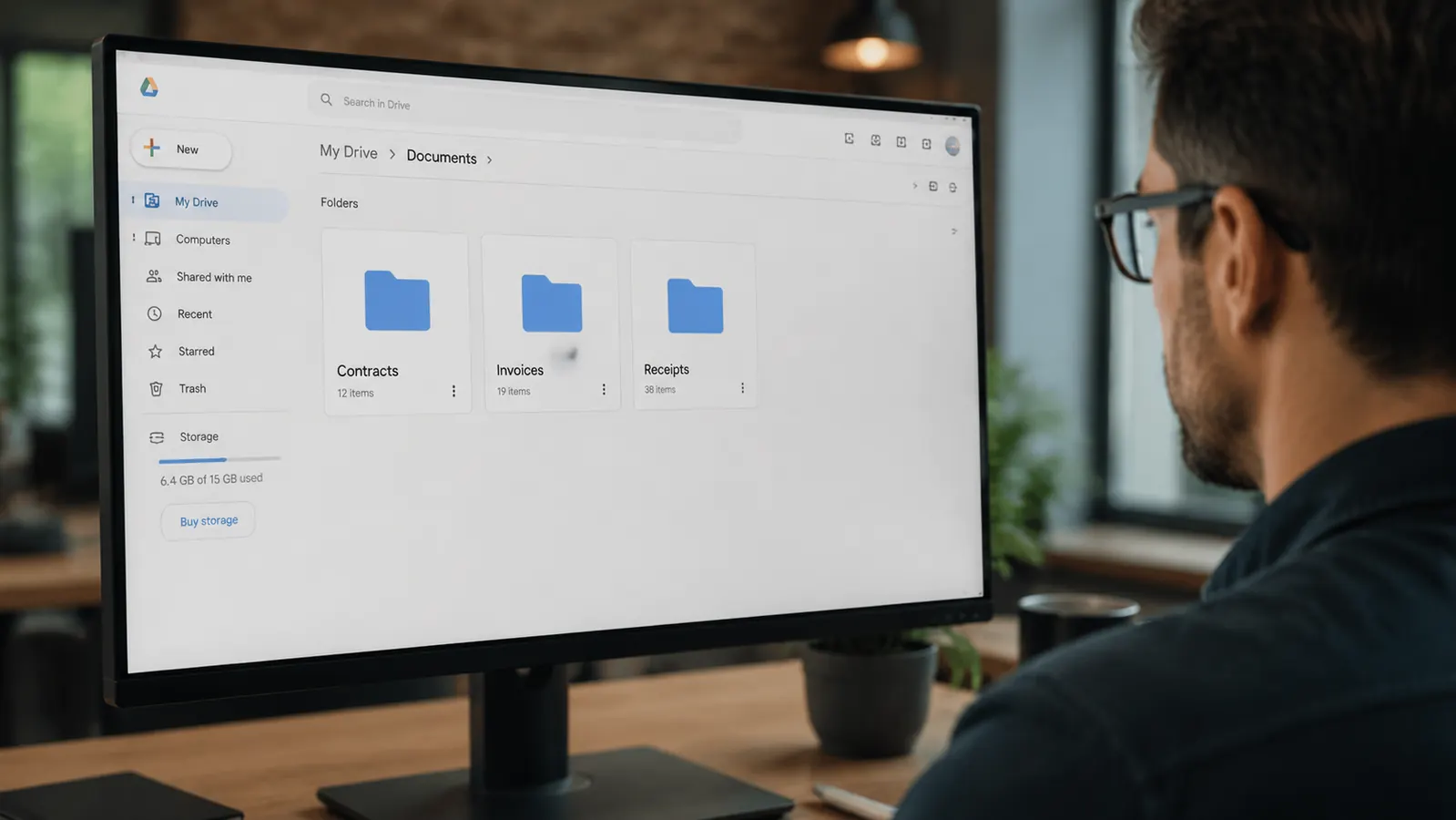
I have been using it for about five months. I went back and cleared the entire banker's box in two sessions. Contracts are in a cloud folder. Receipts go into a separate folder sorted by month. I email PDFs of signed agreements to clients before I even stand up from my desk. My accountant asked me recently if I had changed bookkeeping software because my records were suddenly cleaner. I had not. I had just stopped letting paper pile up.
Stop letting paper pile up. The DS-740D scans both sides in one pass.
The Brother DS-740D is compact enough to sit on any desk, fast enough that you will actually use it, and handles duplex scanning without a second thought. Current price on Amazon.
Amazon Check Today's Price on Amazon →There are a few things I would tell you to know going in. The DS-740D is a single-sheet feeder, not an automatic document feeder with a tray. You load one document at a time. For most small-business use, that is perfectly fine. I am scanning individual contracts and receipts, not processing hundreds of pages at a time. If you are running an office that processes bulk stacks daily, you will want a larger ADF scanner. But if you are a solo operator or a small team dealing with the normal daily trickle of paper, this handles it without complaint.
The scanning resolution is good for business documents. Text comes through sharp and readable at the default 300 DPI setting. The Brother iPrint and Scan app works fine and the scanner also integrates with Windows Scan if you prefer the built-in tool. I use Windows Scan because it lets me auto-name files to a folder I have set up, so there is no extra clicking.

For the internal links section: if you want a full technical breakdown of scan quality, feed reliability, and how it compares to similar price-range options, I covered all of that in my six-month Brother DS-740D review. And if you want the unfiltered take including the edge cases where it has let me down, check the honest review.
What I'd Tell You If We Were Sitting at My Kitchen Table
Here is the real talk. Going paperless is not a scanner problem. The reason most people fail at it is the same reason I failed twice: they buy a tool that has too much friction. Too big, too slow, too many steps. So they use it once, feel good about themselves, and then never touch it again because the path of least resistance is still to toss the receipt on the pile.
The Brother DS-740D removed enough friction that the behavior changed. It is small enough that it is always right there. It is fast enough that scanning one document takes less time than walking to a file cabinet. The duplex pass-through means I never have to think about whether something is single or double-sided. Those three things together are what made the habit stick.
It is not the fanciest scanner on the market. It does not have wireless. It does not have a document tray. It does not scan photos at gallery quality. But for a business owner who needs to process paper documents reliably and get them off the desk, it is the right tool. It earns its spot. That is all I ask of anything I keep in my workspace.
The scanner that finally made paperless a habit, not a goal.
The Brother DS-740D fits on any desk, scans duplex in one pass, and costs less than a day of missed work caused by a lost contract. See current pricing on Amazon.
Amazon Check Today's Price on Amazon →